
Join our newsletter
Get weekly updates on live streams, news and more right in your mailbox.
Thank you!
What Are They?
Labels in Confluence are similar to a label you would put on a box, or the outside of a paper folder since they tell you what’s inside. Basically they save you the need of having to open up and read the content to know what’s there.
Labels are “meta data”, or data about data, that can be added to pages, live docs and blogs. Labels tell us something about what is in the content, or something else about it. For example, you could have a label called “meeting notes” on every page that relates to meeting notes, or a label called “engineering” on a page related to the engineering team.
Two other important things to know about labels is that they’re instance wide, and they’re not case sensitive (this will come back later in the “annoyances” section!).
How They Help
Labels help us out in a number of different ways. The most visible to most people is in search as they allow us to filter down content based on label. This filter, however, can be hard to find, so I make sure to point it out to new folks on my team.
Labels are generally more widely used in a range of macros to help filter down what the macro looks at. The “Task Report” macro, for example, can filter results based on labels. Only want to see tasks from pages with “engineering” and “todo”? Just throw those labels in there.
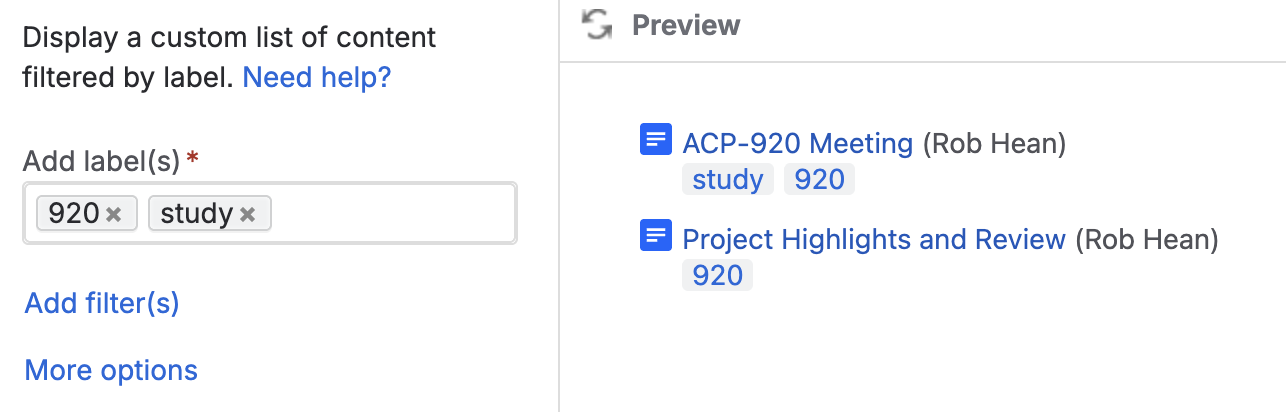
Note that most macros will treat one “Labels” filter as an “OR” statement. For example, if I put both the “920” and “study” macros in the labels field, it will give me pages with EITHER labels.
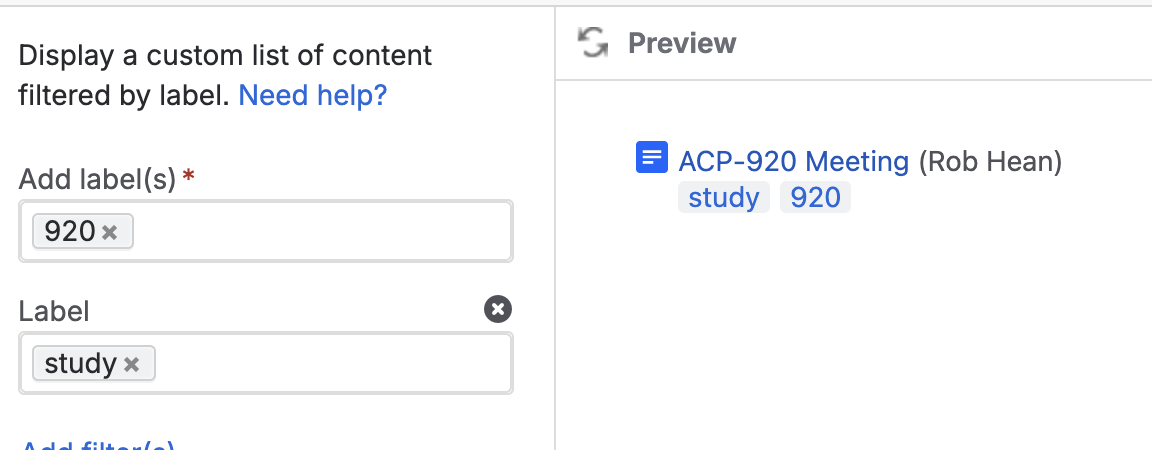
If I add another label field and put “920” in one, and “study” in the other, I’ll only have pages with BOTH labels.
Why They're Annoying
There are a few reasons people find labels annoying (and maybe even actively avoid them because of this!).
The first challenge is that anyone with “edit” access to any space can make new labels.This would be annoying enough if labels were restricted to just the space they’re made in… but they’re not. This means basically anyone using Confluence can make any label they want at any time. It’s not uncommon to have “eng”, “engineering”, “engineering-team”, “eningeering” and many other variations of the same label because of this.
This leads to the second challenge - maintenance. There is no easy way to manage labels in Confluence (see some tricks below). This is compounded by the first challenge as you’ll quickly end up with well-intentioned editors adding labels that either aren’t needed or are clearly erroneous. This inability to standardize makes it much harder to use them effectively.
And then our third challenge - removing labels is a pain. There’s no “Delete this label from every page using it” button. Instead you have to hunt down each piece of content using it and manually remove it… once the last label is gone from the last page, it’ll be deleted. (But someone can always re-add it!).
Tips and Tricks for Managing Labels
There are a number of marketplace apps that help with label management.. However… I never got to use any of them, so I won’t talk about them here! Instead, I’ll focus on “stock” Confluence solutions.
Tip 1 - have a plan. Take time to think through what labels you’re going to use, and what they’re for. Then document that list in Confluence. For example you might have one label per team, or one label per system or type of document. This doesn’t stop people from adding more, but at least it gives them guidance on what they SHOULD be doing.
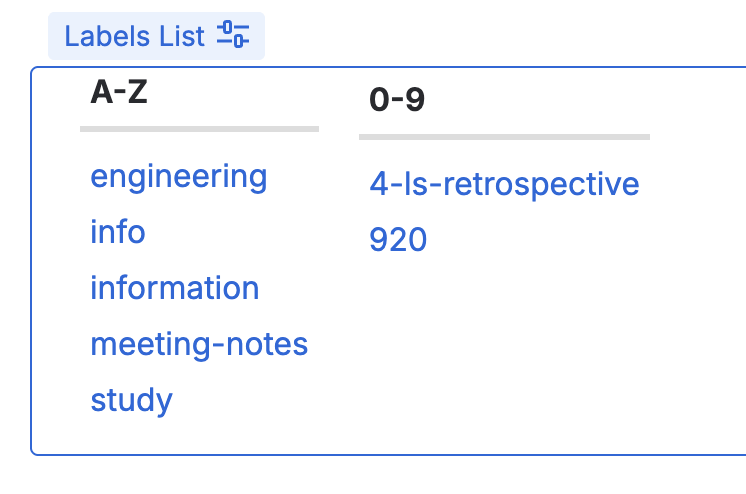
Tip 2 - Use the “labels” macro to see all the labels. This macro generates a list of all the labels in use, which makes it easy to spot outliers. You’ll still have to open up everywhere it’s used and remove it, but at least this macro shows you them all.
Tip 3 - Maintenance. Make time to regularly review labels and adjust your list or remove un-needed ones. This could be just 5 minutes once a week, but that will add up and help keep everything (a bit) cleaner.
Wrap Up
Personally I like labels. They help categorize content, give me tools for making dynamic lists of things and generally make life easier. They do, however, take some work to use well.
I’m curious your thoughts though - what have you used them for? How do you manage them? Let me know below!
Courses
Created with