
Markdown
Longer prompts
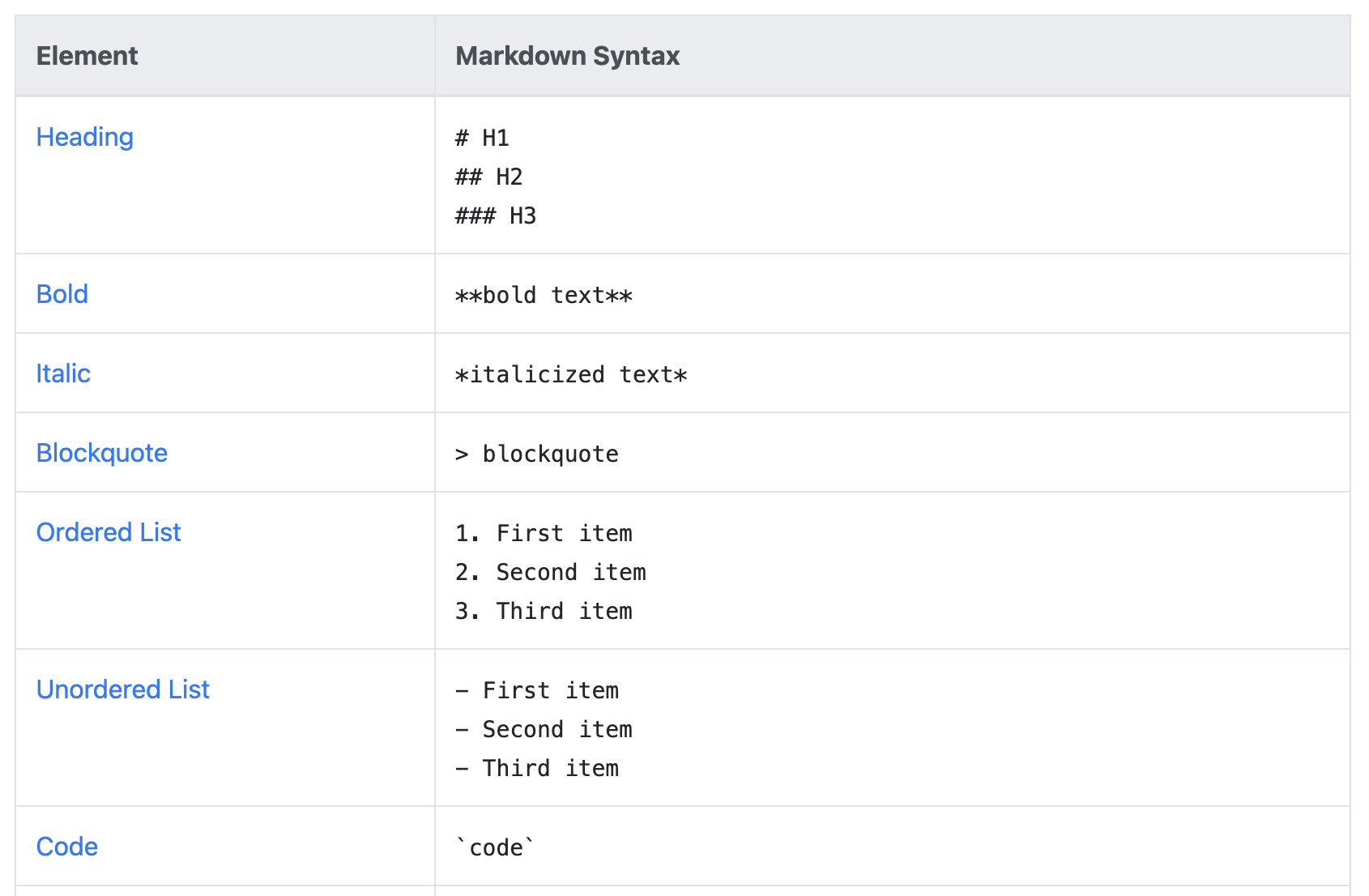
In San Francisco I picked up the tip of using markdown in the prompt. Markdown is a standardized language that is used to render formatting in wikis and other systems. Typically it’s used to visually format content, however, in Rovo is serves two purposes. First it helps break up your prompt. As you’ll see in my next topic, prompts can get LONG. This means having some way to break them up so you, as a human, can navigate them is critical to maintaining and using them. For instance, having ###Formatting following by rules for formatting is MUCH easier to see that Formatting.
Markdown is also something Rovo can reference - this means you can easily reference different parts of the prompt. For example, you could have one section called ###Formatting, and then further in your prompt refer to the ###Formatting section and Rovo will know what you’re talking about since it understands markdown. This helped me solve one challenge I have which is ensuring Rovo follows instructions (particularly bits about not assuming and/or following specific formatting).
Using markdown helped the next tip come into focus…
Longer Prompts
My interactions with Rovo are typically short - a quick search or chat to figure something out. This habit spread into writing agents, resulting in agents with smaller prompts. This unintentionally limited by ability to create effective agents as I was hamstringing its inputs by using short prompts.
Like any system agents are heavily reliant on prompts to provide good outputs. Rovo does have some built-in guardrails (try asking it something like “get me my work” and you’ll see it provide a breakdown with some analysis vs just a list), however, the more precise you can make your prompts, the better the output you’ll get.
This means that prompts, especially for agents, should be longer than we think. In my interview with Aya she shared that instead of just asking for “a blog post about a project”, ask for “a 300 word blog post about the scope of the project”. This is a longer prompt, but provides a lot more accuracy in terms of the outputs since you’re giving Rovo important information.
The agent examples provided by Atlassian are LONG - I’m talking multiple paragraphs in some cases. At first this was a bit intimidating - after all a LOT of thought and energy went into that! Once I dug in though, I realized that each paragraph had a targeted, specific purpose for the agent. While the exact ones used can differ, Atlassian typically includes the following sections in every agent they create:
1. What the agent’s purpose is
2. Specific outputs it will provide
3. Outputs or actions it will NOT provide
4. Guidance on assumptions
These bulk out the prompting, but also help ensure that you get what you want. Each one also serves a specific purpose in the agent. Some of them feel like “obvious” things that agent should figure out, however, by explicitly including it you help reduce the chance of the agent going “off track” and giving you a non-optimal response.
My personal goal now is to review agents I’m creating and ensuring it has more specific sections written in markdown. I’m also working on a template to use for all agents (be on the lookout for a followup blog post on what I come up with!).
Scenarios
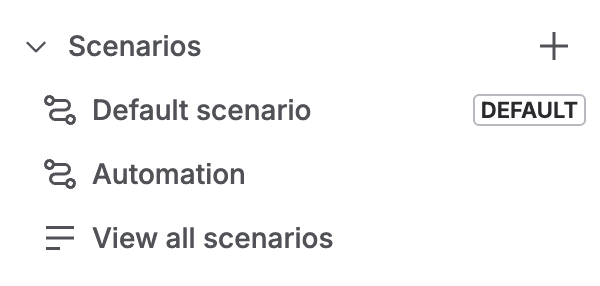
Scenarios are a relatively new (4ish months old) feature that allows agents to act differently in different situations. This is another feature that at first I struggled with, but the more I hear about it (even the same information from different folks) the more it’s starting to click. Scenarios allow your agent to handle a wider range of tasks, or to behave slightly differently under specific conditions. For example, you may have an agent that specializes in breaking down lira work items. You might, however, want it to handle initiatives differently than epics differently than stories.
Before this feature existed you’d have to build a separate agent for each work type. Instead you can build out a solid “core” agent that handles breaking down tickets (or whatever), then add scenarios to help handle those specific “variations” of your theme. Scenarios can also have specific knowledge and skills - for example, you might have a “triage” agent that has a scenario for specific customer types (executives vs. line employees), which draws on different knowledge to support them.
There is always a “Default” scenario that is what is triggered when the agent is first called (and for some agents this might be all you need!). The default is also what the agent will fall back to if it cannot determine which scenario to use. In the past I’ve only filled out the default since I didn’t understand Scenarios, however, now I’m starting to think through some other options.
An important note is that agents will use their Identity for ALL scenarios - this means that the behavior your setup will always be used. This gives you a great way to control the general direction/behavior of the agent, while using scenarios to tailor how the agent responds in specific cases. This means you’ll likely want to include general guidance for the agent in Behavior (how to respond, assumptions, formatting, etc) while leaving specific tweaks for your scenarios.
Scenarios are also incredibly useful when you combine agents with automations. Adding a scenario called “automation” and settin the “trigger” to the input from the automation allows you to pass text from the automation to the agent (this includes smart values!). This use case is something I’m still thinking through as it allows you to combine the step-by-step mastery of an automation with the synthesis and investigation of the agent. This clearly tells Rovo what to do with the input, and then runs the prompts you’ve setup…. This leads us to
Rovo + Automations
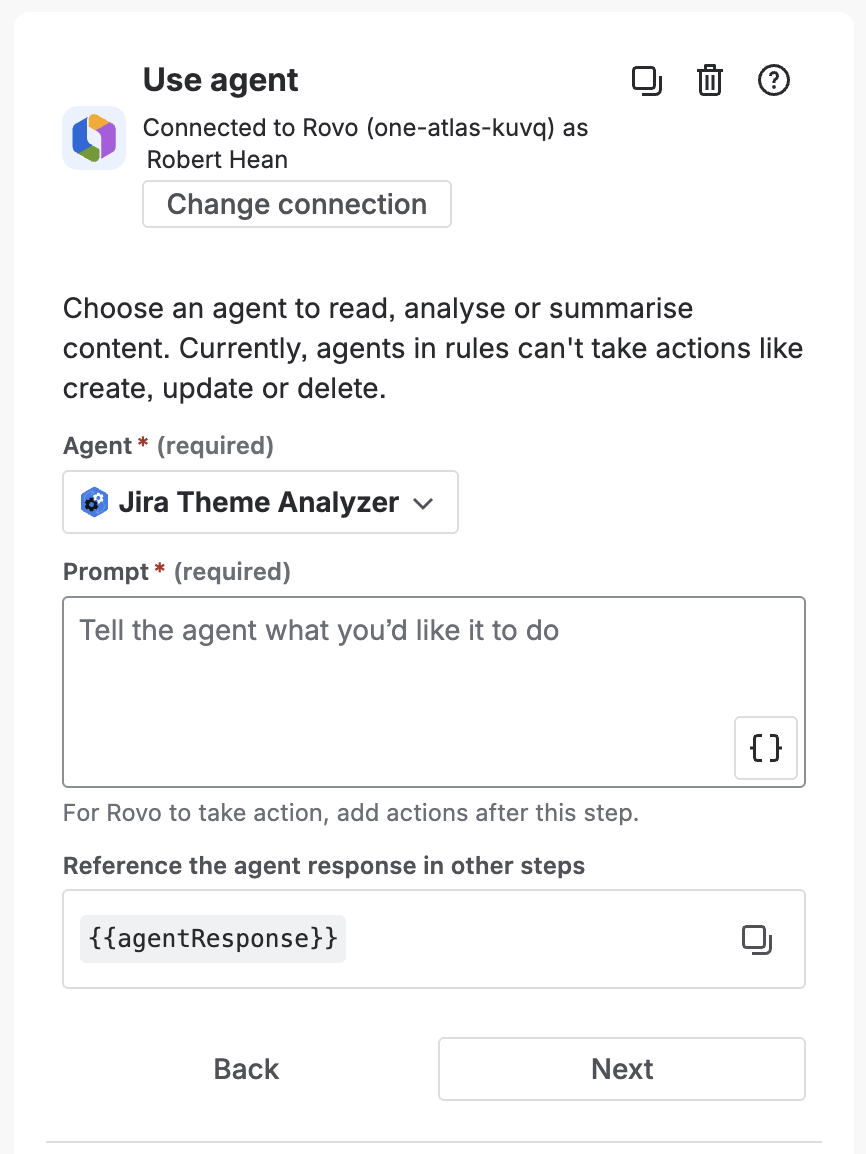
Automations excel in scenarios where steps are repeatable 100% of the time, all the time. Automations cannot, however, analyze or synthesize information. Rovo agents excel in scenarios where some type of analysis or synthesis is needed, but can’t really do repeatable actions. You can, however, combine them!
There is an automation action to call Rovo (it’s even listed RIGHT at the top of the actions list! It’s like they’re suggesting something…) that allows you to use an agent. Basically you’re passing it some information from the automation and getting back a response from the agent. At the time of writing this is limited to text, however, it can be structured (e.g. JSON), so depending on your needs you can move around a lot of info.
For example you might schedule an automation to run right before a sprint. That automation calls an agent that analyzes outstanding work and suggests areas that can be improved, things that might be missing and other relevant topics. It could even pass back some JSO that contains a list of work items that need to be looked at and have the automation perform a branch against that list (a bit more advanced, but a great way to get a lot of things done!).
Or you might have a manually triggered automation that helps route work items, and also calls an agent to triage it. This triage could include an analysis of the ticket, but also a look around to see what incidents or other things might going to suggest further action. This could then be added to a “Triage” field or added as a comment. This results in a work item that is more fleshed out and ready for work once a human agent gets to it.
My challenge with Rovo+Automations is just figuring out what I want to automate. I’m on the lookout for anything the requires both “rote repetition” and “synthesize information”.
RovoCon
Wrap Up
Courses
Created with